
You can turn on and off blocks on interact.
First create your block template. This is the base block that will be used to create the on and off blocks.
In this example I use built-in Minecraft models to avoid creating new models just for this example.
info:
  namespace: test
items:
  my_light_block_template:
    name: Test Change State Block Interact
    template: true
    resource:
      generate: false
      model_path: minecraft:block/diamond_block
      material: PAPER
    behaviours:
      block:
        placed_model:
          type: REAL_NOTE
        cancel_drop: false
Now create the off block. This block has an event listener on interaction that replaces itself with the on block (that will be created next).
  my_light_block_off:
    variant_of: my_light_block_template
    events:
      placed_block:
        interact:
          replace_block:
            from: my_light_block_off
            to: my_light_block_on
            decrement_durability: 0
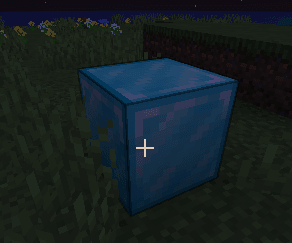
Now create the on block. This block has an event listener on interaction that replaces itself with the off block (that we created before).
As you can see I specified the light_level: 15 property, to turn the light on.
  my_light_block_on:
    variant_of: my_light_block_template
    behaviours:
      block:
        placed_model:
          type: REAL_NOTE
        cancel_drop: false
        light_level: 15
    events:
      placed_block:
        interact:
          replace_block:
            from: my_light_block_on
            to: my_light_block_off
            decrement_durability: 0
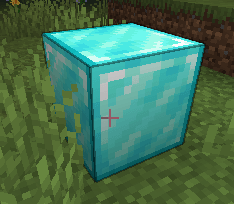
info:
  namespace: test
items:
  my_light_block_off:
    name: Test Change State Block Interact
    resource:
      generate: false
      model_path: minecraft:block/diamond_block
      material: PAPER
    behaviours:
      block:
        placed_model:
          type: REAL_NOTE
        cancel_drop: false
    events:
      placed_block:
        interact:
          replace_block:
            from: my_light_block_off
            to: my_light_block_on
            decrement_durability: 0
  my_light_block_on:
    name: Test Change State Block Interact ON
    resource:
      generate: false
      model_path: minecraft:block/emerald_block
      material: PAPER
    behaviours:
      block:
        placed_model:
          type: REAL_NOTE
        cancel_drop: false
        light_level: 15
    events:
      placed_block:
        interact:
          replace_block:
            from: my_light_block_on
            to: my_light_block_off
            decrement_durability: 0