
How to edit this wiki?
Setting up your repository
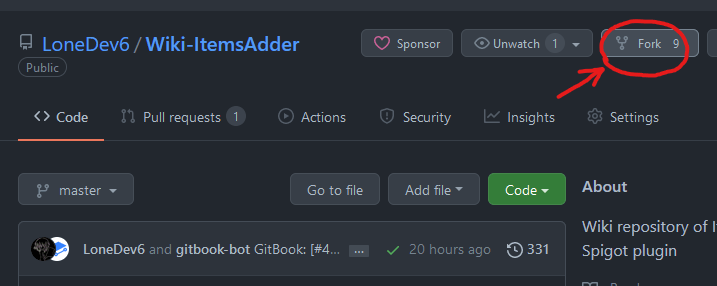
Open the GitHub repository of this wiki and press Fork to create your own copy.
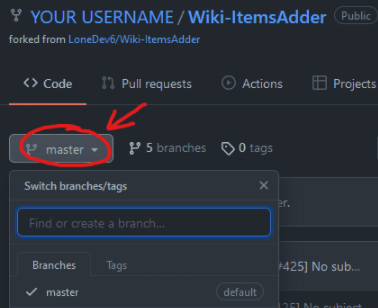
Make sure the base branch is master. Keep your fork's master branch synchronized with the original repository, then make each contribution in a separate branch with a descriptive name.
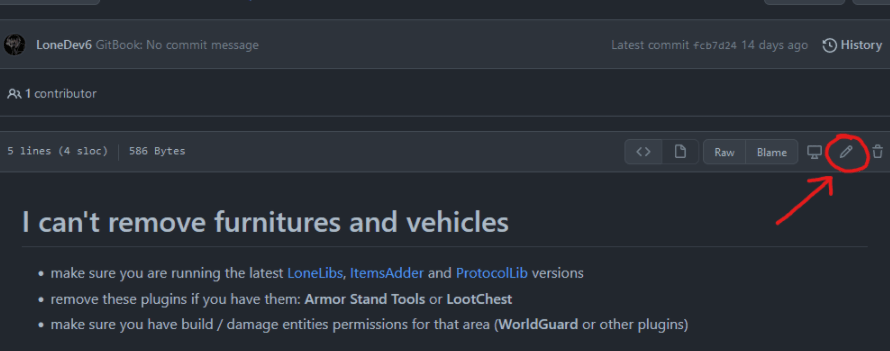
Select the file you want to edit and press the pencil button.
Edit the file and use the Preview tab to check the rendered Markdown before continuing. Then press Commit changes, enter a short description of the change and choose the option to create a new branch for the commit.
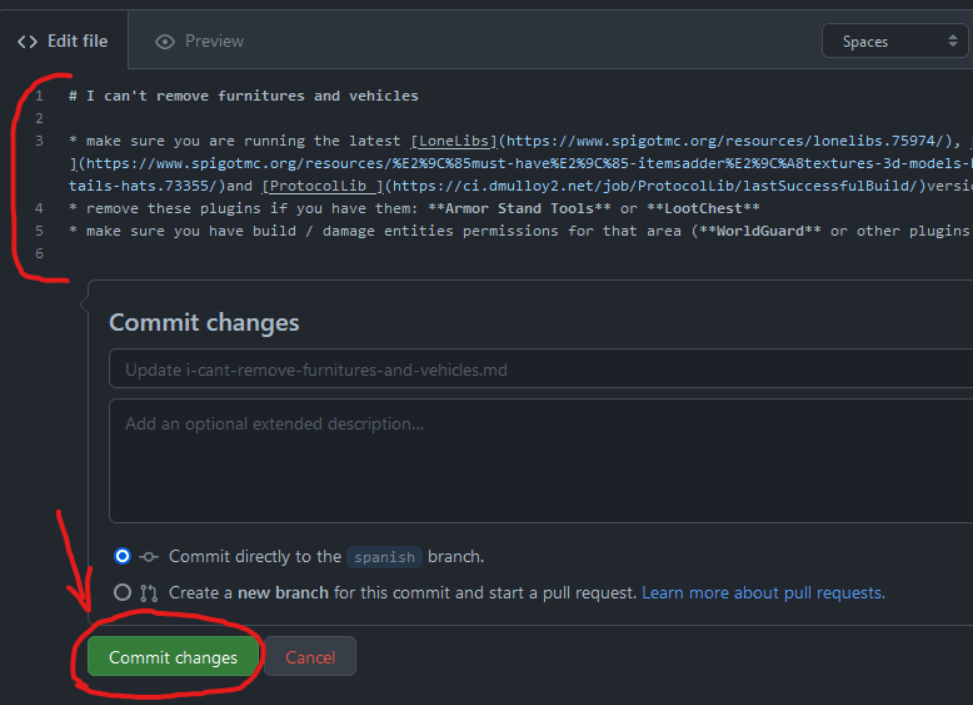
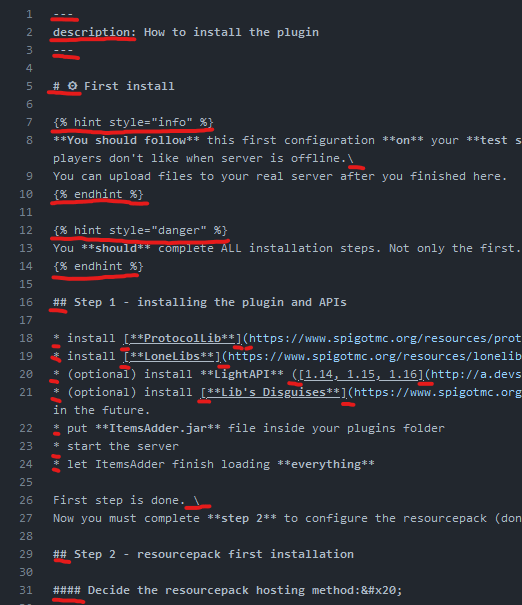
Example of what you must not edit
Open a pull request
After committing the change, open a pull request from your branch to the master branch of LoneDev6/Wiki-ItemsAdder. Use a clear title and explain what you changed and why. Check the changed files once more before submitting it.
GitHub's current step-by-step instructions are available in Creating a pull request from a fork. The pull request is the place where maintainers review the contribution; Discord can still be used if you need help, but it is not required to submit an edit.
You can also read GitHub's file editing guide if the buttons or labels differ from the screenshots on this page.