Download here
Compatibility
- biomes
- ores
- schematics (RWG schematics)
Warnings
ores:
  veins:
    biome_layers:
      paste: false
    type: 1
    enabled: true
  base:
    block: ia:itemsadder:ruby_block # <---- DO NOT DO THIS!
How to use custom blocks
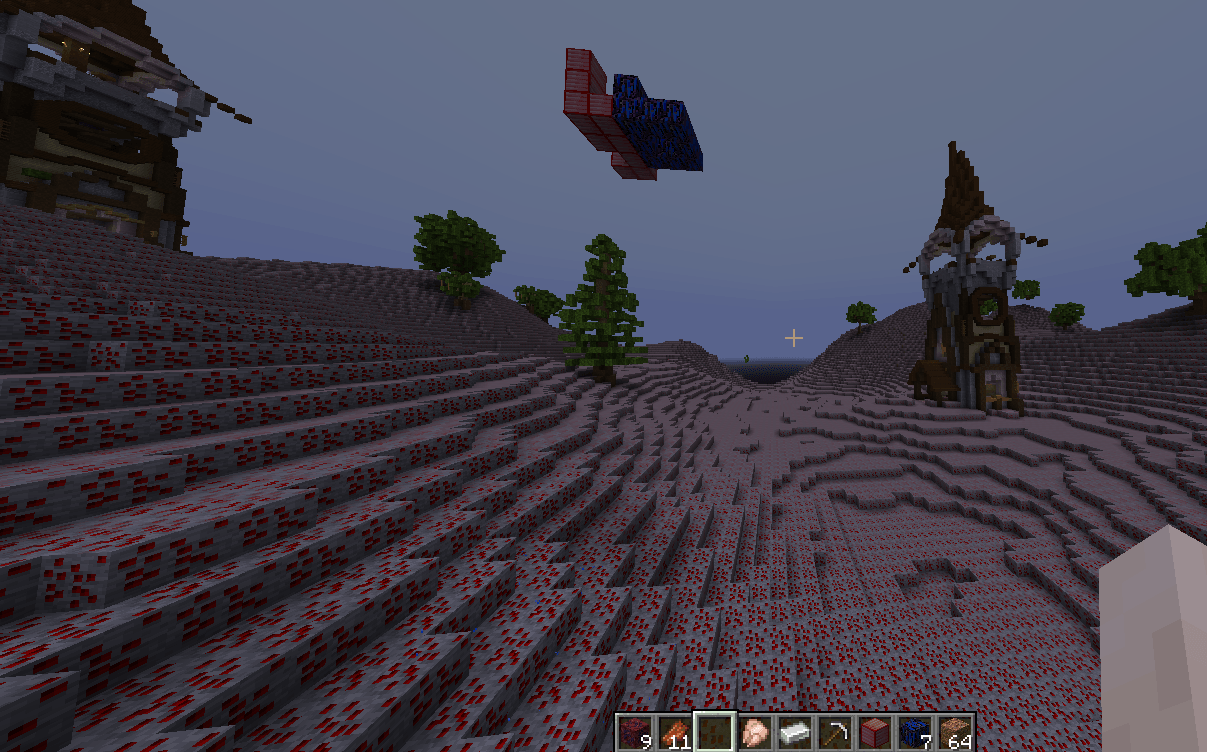
For example let's create a biome which has ruby_block as top layer.
Open the biomes.yml file of your RealisticWorldGenerator world configuration folder.
Decide a biome (for example plains) and add this as first layer.
plains:
  layer:
    '1':
    - ia:itemsadder:ruby_ore;120
    '2':
    - minecraft:coarse_dirt;2
    - minecraft:podzol[snowy=false];5
    - minecraft:grass_block[snowy=false];100
In this example I also modified the settings.yml file of this world to make sure only a biome is generated, to find my custom blocks easier.
one_biome:
  biome: PLAINS
  oceans: false
  enabled: true
This is the final result
This is a world with a custom surface