
Example item: obsidian_trident
The normal model is used while the trident is held normally. The throwing model is used while the player is charging a throw. Model paths are relative to contents/tridents/models/ and do not include the .json extension.
info:
  namespace: tridents
items:
  obsidian_trident:
    name: <aqua>Obsidian Trident
    material: TRIDENT
    graphics:
      icon: item/obsidian_trident_icon
      models:
        normal: item/obsidian_trident
        throwing: item/obsidian_trident_throwing
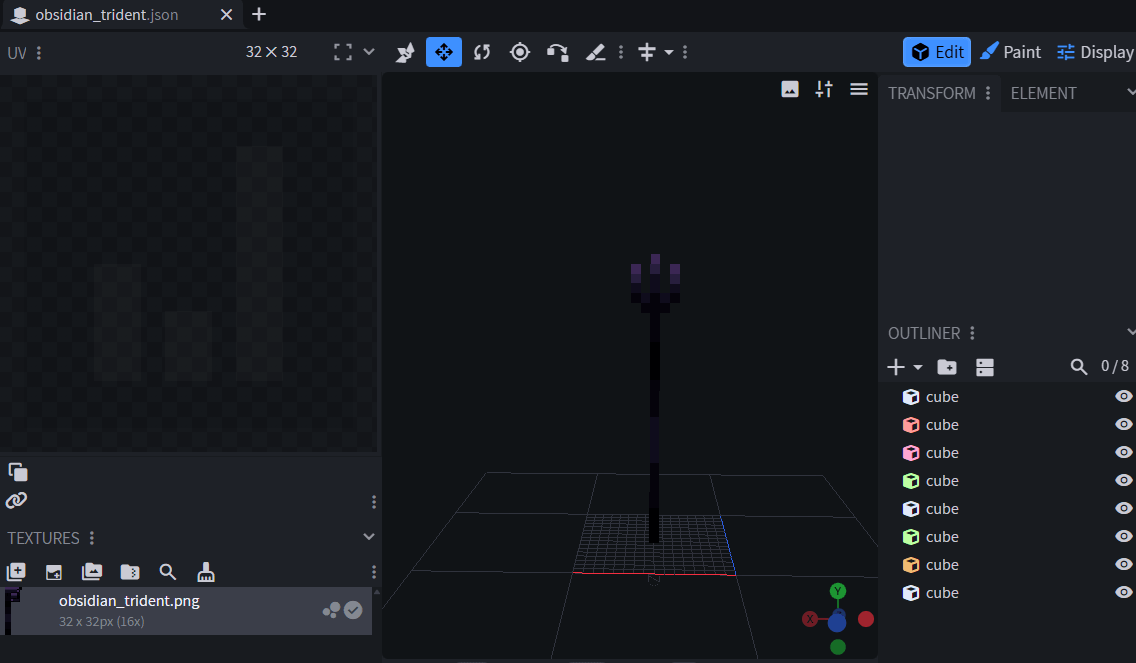
Create the normal model
Create contents/tridents/models/item/obsidian_trident.json, either manually or with Blockbench.
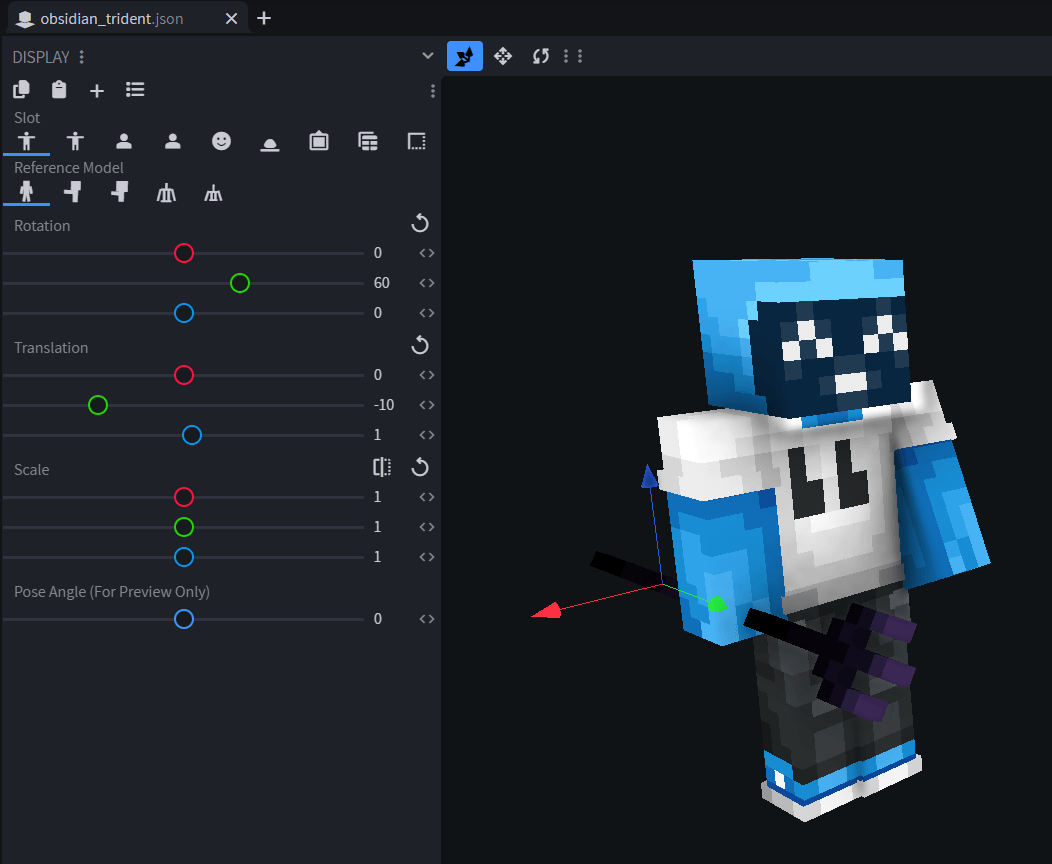
Set the held-item transforms
Use Blockbench's Display tab to position the trident in third-person views.
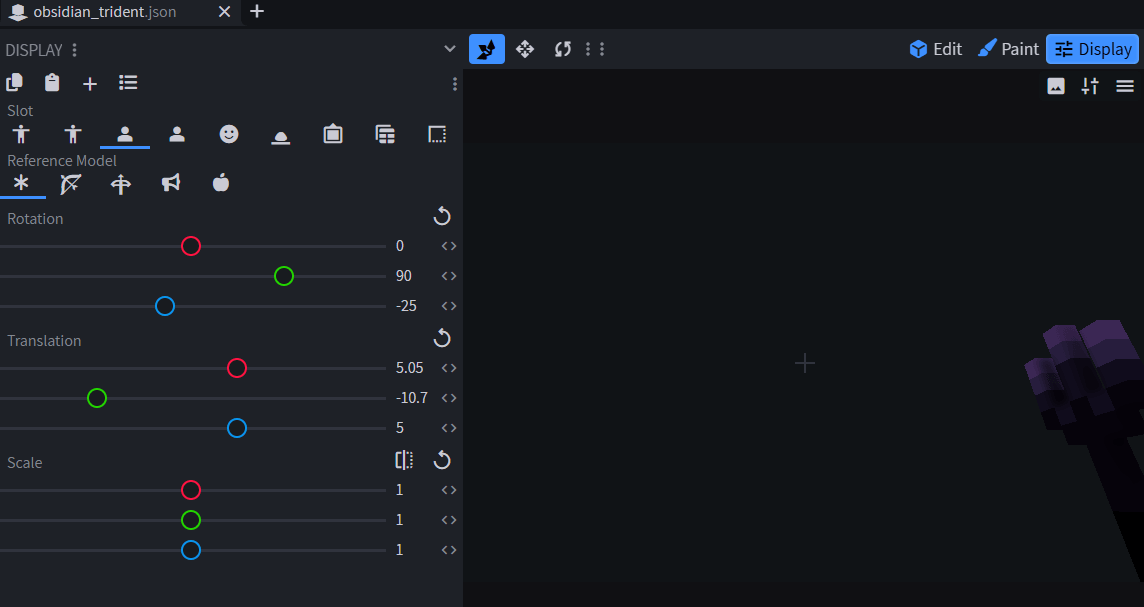
Then configure its first-person views.
Set the head transform
The head transform controls how the model is positioned when equipped in the helmet slot.
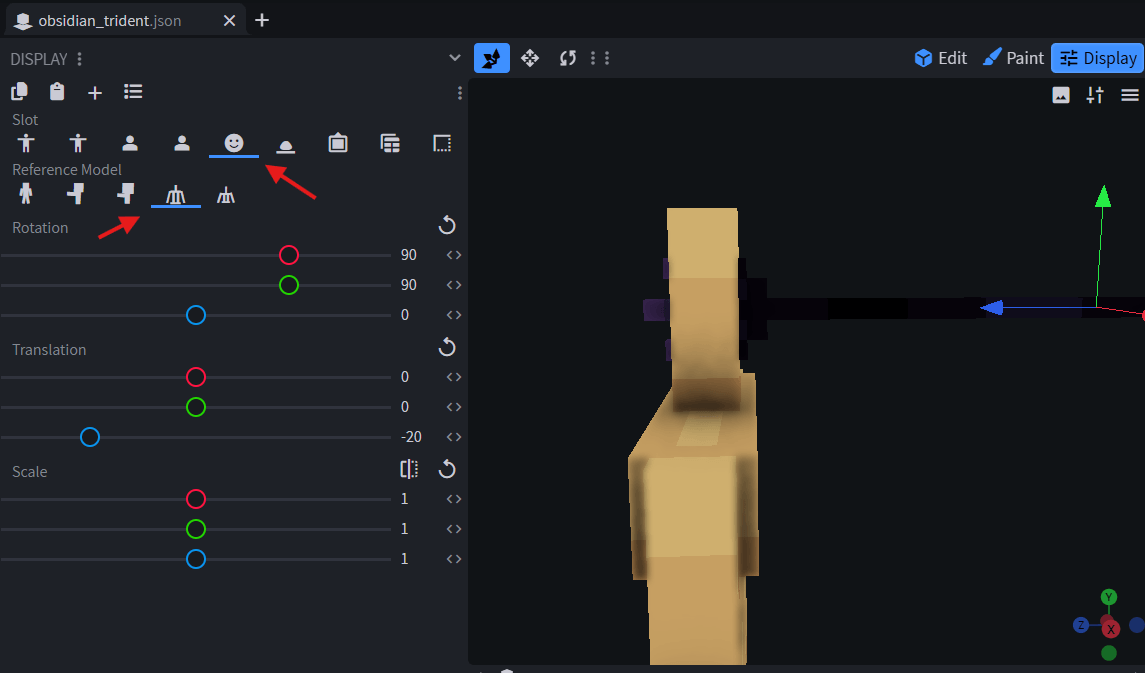
The complete display section used by the normal model is:
{
  "display": {
    "thirdperson_righthand": {
      "rotation": [0, 60, 0],
      "translation": [0, -10, 1]
    },
    "thirdperson_lefthand": {
      "rotation": [0, 60, 0],
      "translation": [0, -8, 1]
    },
    "firstperson_righthand": {
      "rotation": [0, 90, -25],
      "translation": [5.05, -10.7, 5]
    },
    "firstperson_lefthand": {
      "rotation": [0, 90, -25],
      "translation": [6.25, -11, 3.5]
    },
    "head": {
      "rotation": [90, 90, 0],
      "translation": [0, 0, -20]
    }
  }
}
Create the throwing model
This model is shown while the player holds the use button to charge a throw. Create contents/tridents/models/item/obsidian_trident_throwing.json.
It can be a completely different model. For the same geometry with a different held rotation, make it inherit the normal model and override only the required display transform:
{
  "parent": "tridents:item/obsidian_trident",
  "display": {
    "thirdperson_righthand": {
      "rotation": [0, 90, -180],
      "translation": [0, 11, 1]
    }
  }
}
Inventory 2D icon
You can set a 2D icon in inventory.
2D Icon