
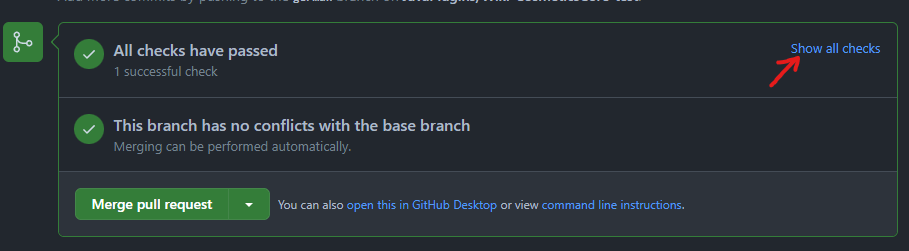
Every pull request runs an automatic GitBook check. Wait until GitHub reports All checks have passed, then press Show all checks.
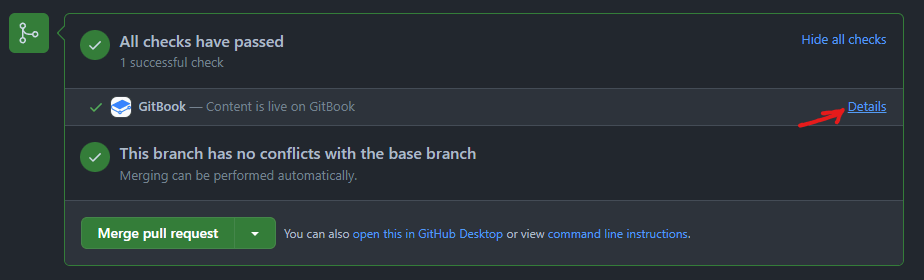
Find the GitBook check and press Details. GitBook opens a preview built from your branch, where you can inspect the edited pages before a maintainer merges the pull request.
Check headings, code blocks, hints, links and images on both desktop and mobile widths. If something is wrong, commit the correction to the same branch: the pull request and its preview will update automatically.