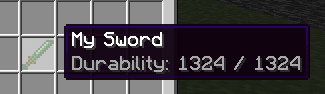
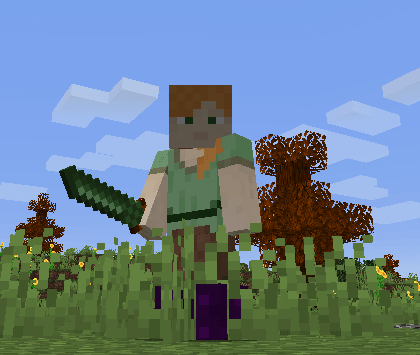
Creating the swords file config
For example I created a file which will contain all my custom swords:contents/my_items/configs/myswords.yml
In this file (myswords.yml) I start creating a simple sword called mysword
info:
  namespace: my_items
items:
  mysword:
    name: My Sword
    material: DIAMOND_SWORD
    permission_suffix: my_items.mysword
    graphics:
      texture: item/mysword
    durability:
      max_durability: 1324
Item texture
Creating the texture file
Now the fun part, let's set the sword texture.
To do that you have to put your sword .png texture file inside the correct folder.
In this case your namespace is my_items so you have to put it here:
contents/my_items/textures/item/mysword.png

Applying the texture file to your item
Now open myswords.yml again and add the graphics section. The texture path is relative to contents/my_items/textures/ and does not require the .png extension.
info:
  namespace: my_items
items:
  mysword:
    name: My Sword
    material: DIAMOND_SWORD
    permission_suffix: my_items.mysword
    graphics:
      texture: item/mysword
    durability:
      max_durability: 1324
Legacy resource configuration for Minecraft 1.21.3 and older clients
The legacy method uses resource, sets generate: true and includes the .png texture path. ItemsAdder then generates the item model from that texture.
info:
  namespace: my_items
items:
  mysword:
    name: My Sword
    permission_suffix: my_items.mysword
    resource:
      material: DIAMOND_SWORD
      generate: true
      texture: item/mysword.png
    durability:
      max_durability: 1324
For all legacy resource options, see the resource property reference.
Final part
Now you just need to tell the plugin to load your just added item.
To do that you have to:
- join the server
- make sure you accepted the resourcepacks
- use the command
/iazip - (if you're using external-host (DropBox) scroll down and follow the instructions)
- get the item using
/iaget my_items:mysword